Topics
Organize related issues with topics and give them a shared goal, plan, and execution context.
Topics organize work that takes multiple issues to finish — a product launch, a migration, or a feature delivered in stages.
Work that a single issue can describe does not need a topic. Topics fit a group of work that shares a goal, needs its progress tracked together, or needs shared repositories and working directories.
Parts of a topic
| Part | Purpose |
|---|---|
| Name, icon, and description | Goal, scope, and long-lived requirements; the description enters the execution context of agents working inside the topic. |
| Status | planned, in_progress, paused, completed, or cancelled. |
| Priority | urgent, high, medium, low, or none. |
| Lead | A member or an agent — who coordinates the topic. |
| Start and target dates | The topic's planned time range. |
| Issues and progress | The work in the topic and how much of it is finished. |
| Resources | Linked GitHub repositories or local directories on specific computers. |
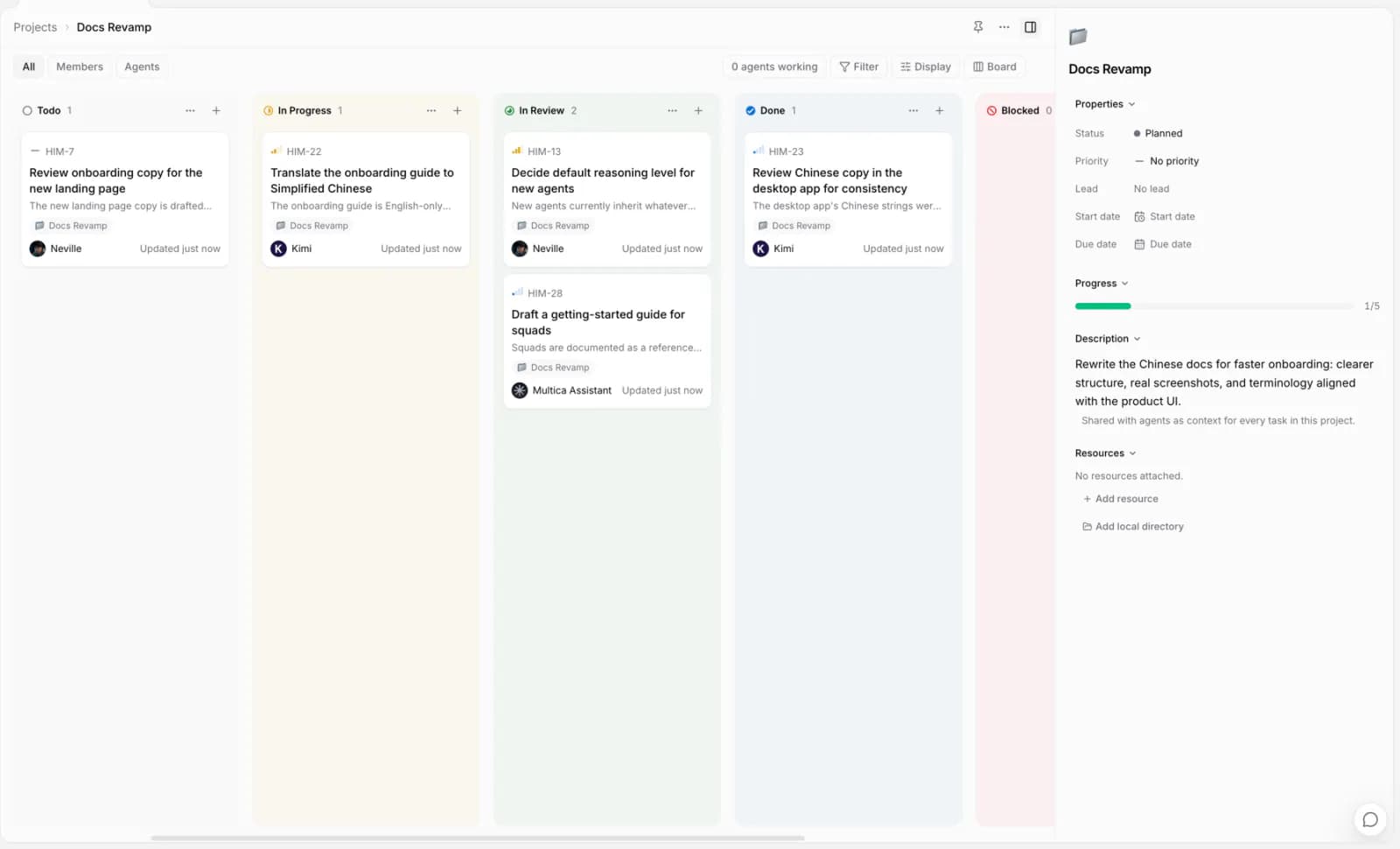
Topics and issues
A topic can contain any number of issues; an issue belongs to at most one topic. Create issues directly inside the topic, or pick or change the topic from the issue's properties.
Topic progress is computed automatically from linked issues:
progress = issues in done or cancelled ÷ all issues in the topiccancelled means that work has been closed out of the topic's scope, so it counts toward progress. Topic status and issue status are independent: finishing every issue does not automatically set the topic to completed, and changing the topic's status does not bulk-change its issues.
Topic description and execution context
When an agent runs an issue inside a topic, the topic's name and description are added to that run's context. The description is the place for information every related run needs: the goal, technical boundaries, delivery conventions. Requirements that apply to only one issue belong in that issue.
Add resources
Topic resources tell agents which code and working directories to use:
- GitHub repositories: provide a repo the runtime can check out, with an optional ref.
- Local directories: let the runtime on a specific computer work in an existing directory, whose contents the agent modifies directly.
See Topic resources for how to choose and for the safety boundaries.
Topic lead
The lead can be a member or an agent, and marks who coordinates the topic. It is not a permission setting: it does not auto-assign the topic's issues, and making an agent the lead does not automatically run it. Starting a run still takes an issue assignment, an @mention, or an automation trigger.
Pin to the sidebar
A pinned topic appears in your sidebar. Pinning is a personal preference and does not affect other members.
Create, edit, and delete
Any workspace member can create and edit topics; only owner and admin can delete them.
Deleting a topic does not delete its issues: they detach and stay in the workspace. The topic's description, status, and resources are permanently deleted.
Next steps
- Topic resources — link GitHub repositories or local directories.
- Issues — create and organize the concrete work in a topic.
- Agents — learn about agent identity, configuration, and Access.